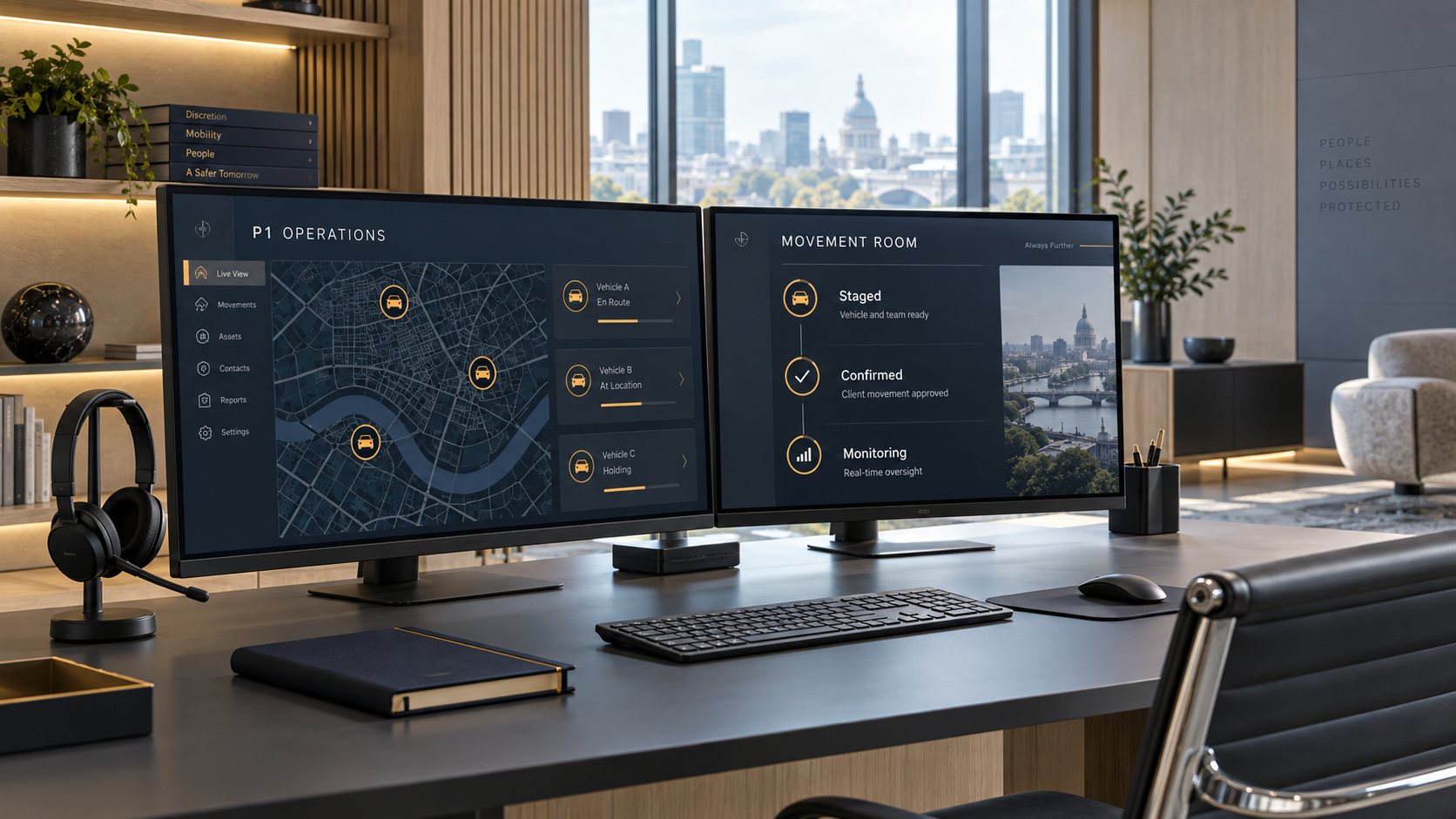
Real-time visibility into every trip
P1 runs on its own operations platform, built for protective transportation rather than adapted from limousine dispatch software. It connects the principal, the people who arrange their travel, the vehicle, and our 24/7 operations center, so everyone works from the same current information.
Less coordination for the people around the principal
Proactive updates
Each milestone is reported to the people who need it, through the channel they prefer, so no one has to call the driver for a status update.
Plans that stay current
When a trip changes, its timing, route, and cost are updated immediately, and everyone involved sees the current version.
Exception-based monitoring
Routine trips run to plan, and the operations center is alerted the moment something departs from it, with the likely resolution ready.
Privacy by design
Location data is handled with the care given to financial information: access is limited, recorded, and set to expire.
From the advance brief to the final receipt
On the left is the view our operations center works from; on the right are the updates an executive assistant receives automatically on the standard communication profile. No one needs to make a phone call.
- Briefed
- Acknowledged
- Ready
- En route
- Staged
- Onboard
- Arrived
- Complete
Simulated trip: about seventy minutes shown in thirty seconds · fictional names
Every traveler and every trip in one place
See who is traveling now, what is scheduled, and the current balance across every traveler and market on the membership. Request a trip in under a minute, or send a complete itinerary and our operations team will build it for you.
- Separate access for travelers, bookers, and approvers
- Preapproved limits, so routine changes never wait on a phone call
- Statements by traveler, trip, and cost center
- Travel preferences that accompany the principal to every city
- Driver stagedGC-0417Gray GLS 6314:11ASE → Red MountainJ. Smith
- En routeGC-0422Silver X716:40TEB → ManhattanS. Smith
The Movement Brief
The day before a trip, the people you designate receive a one-page brief covering the driver and their qualifications, the assigned vehicle and its verified equipment, the flight, the route, and relevant local conditions. Your security team knows exactly who is arriving, and if anything changes, the brief is updated and marked accordingly.
Mission
- Principal
- J. Smith
- Date
- Tue, Oct 6 · pickup 14:20 local
- Pickup
- ASE · FBO main entrance
Aspen/Pitkin County Airport - Destination
- Red Mountain residence
Gate code held by operations - Duration
- 4 h estimated · local trip
- Party
- 1 passenger · low profile
Aviation
Security driver
Vehicle
Route intelligence
- Clear, 61°F at pickup. Light winds on approach.
- Highway 82 roadwork near the airport roundabout, single lane until 16:00.
Operations
transportationJS
A simple view for the principal
The principal sees only what matters to them: who is driving, where the vehicle is, and a short list of actions, such as changing the destination, adding a stop, keeping the vehicle longer, or messaging operations. Billing, administration, and other travelers are not shown.
Anyone else who needs to follow the trip receives a secure tracking link that shows only what you allow and expires after arrival.
Itinerary changes handled while the trip is under way
A managed device in every vehicle
- Assigned to the vehicle
- Each certified vehicle carries a dedicated, centrally managed Samsung phone, so trip information never sits on a driver's personal phone.
- Readiness check before every trip
- Before departing, the driver confirms the AED, trauma kit, Principal Kit, connectivity, and route review, with photographs.
- Secure connectivity on board
- Each vehicle carries its own secure Wi-Fi for the principal, separate from the vehicle's built-in hotspot, running on Starlink, a cellular booster, or a dedicated 4G/5G router depending on the market. The device keeps working offline if every connection drops.
- Emergency alert
- Holding the SOS control opens a voice line to operations and increases location updates to every two seconds.
transportationMR
Continuous monitoring, with people ready to act
Every trip follows a series of timed checkpoints, from assignment and briefing to staging at the pickup. If a checkpoint is missed, a flight changes, or a vehicle leaves its planned route, the operations center is alerted immediately and acts, usually before the client would notice a problem.
- ResolvedAircraft 9 min earlyASE · pickup re-timed 14:11
- OpenNot acknowledged at T-2hDenver · supervisor paged
- Flight tracking7 tracked · 6 on time
- ReassignNot staged at T-30CriticalDenver · reassigning to the nearest certified vehicle
- ConfirmAircraft 40 min earlyWarningAspen · pickup re-timed, driver notified
- CloseRoute deviation 900 mWarningVail · driver confirmed a closure detour
- ViewChange accepted: add a stopInfoAspen · +1.00 h, within preapproved limit
Ground transportation coordinated with the flight
- Flight-linked pickups
- Each pickup is tied to the flight, so early, late, and diverted arrivals re-time the trip automatically.
- FBO procedures
- Entrance, gate, and staging instructions for the FBO are included in the brief and reviewed by the driver in advance.
- Crew view
- Pilots and flight coordinators receive a simple link showing whether the vehicle is staged, where it is waiting, and when passengers are expected back.
Send the itinerary and we will build the trip
Forward an itinerary by email or upload a PDF. Our operations team builds every trip, vehicle, and additional resource, with estimates, for you to confirm in a single step. Nothing is booked until you confirm it.
Aviation operators, executive protection firms, and corporate security teams can connect through our API, under the same rules and standard as every other booking.
Location information treated as confidential
A protective service depends on discretion. Access to a principal’s information is limited to the people who need it, recorded, and time-limited by design.
How we protect principal information- Tracking runs only from the moment the driver sets off until shortly after arrival, never outside a trip.
- Tracking links go only to the people you choose, show only what you allow, and expire after the trip.
- Drivers see the information needed for the trip, not the principal's full profile.
- Opening a tracking link or a Movement Brief is recorded, as is every change to a trip.

Plan your next trip with P1
Send us the itinerary and we will coordinate the security vehicle, family and staff vehicles, airport arrivals, and any advance work under one membership, with one operations team and one standard.